
Automating releases from CI
You can automate scheduled, nightly, or continuous releases without keeping your CI job open while ToDesktop builds your app. The recommended flow is:
- Start a background build with
todesktop build --async --webhook <URL>. - Let your CI job exit after the build has been queued.
- In your build-finished webhook handler, call the
releaseBuildAPI when the build succeeds. - Optionally use a release webhook for follow-up actions such as posting the release link to Slack.
This minimizes CI usage because the long-running build happens on ToDesktop's infrastructure instead of inside your CI job.
If you are automating nightly, staging, beta, or development releases, create a separate ToDesktop app first so automated releases do not affect production users.
Choose the target app
Use the ToDesktop app ID for the release channel you want CI to publish to:
- For production automation, use your production app ID.
- For nightly, staging, beta, or development automation, use a separate app ID.
- If you keep multiple
todesktop.jsonfiles, pass the matching config with--config.
For example, a nightly build can target a nightly app config:
todesktop build --config=./todesktop.nightly.json --async --webhook https://example.com/todesktop-build-finishedEnable programmatic releases separately for each app that CI should be allowed to release.
Enable programmatic releases
By default, ToDesktop requires a security-token tap before an app can be released. To release from CI, enable programmatic releases for the app:
- Open the app in the ToDesktop dashboard.
- Go to Settings > General.
- In Programmatic releases, enable Allow releases without a security token.
- Tap your registered security token to authorize the change.
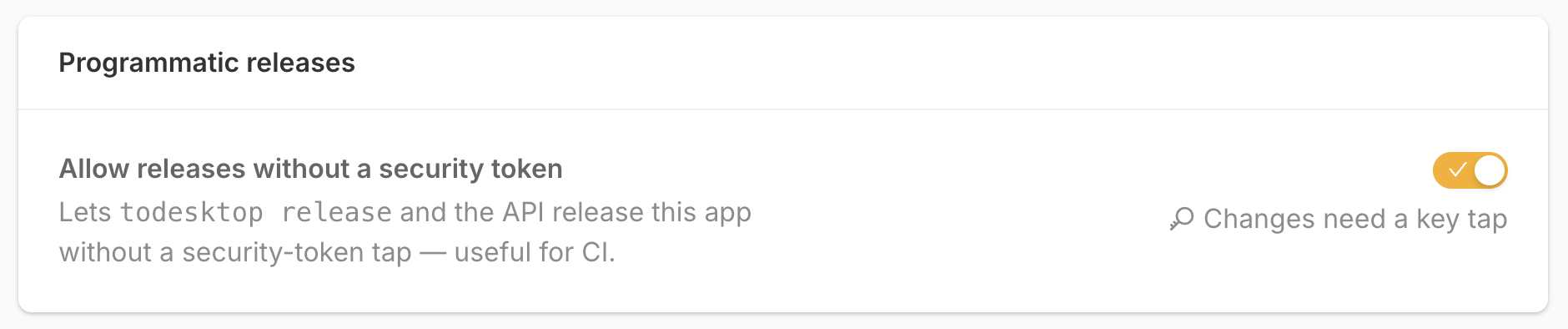
This removes a security control for the app. Anyone who can authenticate with a ToDesktop access token and has release permission for the app can release it through the CLI or API without a security-token tap.
Queue the build from CI
Configure your CI environment with the credentials used by the ToDesktop CLI:
TODESKTOP_ACCESS_TOKEN=accessToken
TODESKTOP_EMAIL=email
TODESKTOP_APP_ID=appId
Then run the build in async mode and provide a webhook URL that ToDesktop should call when the build finishes:
todesktop build --async --webhook https://example.com/todesktop-build-finishedRelease the successful build
Your build-finished webhook receives the build payload documented in the
ToDesktop CLI reference.
Only call releaseBuild after the build status is succeeded and the payload
matches the app you expect to release.
The HTTP API uses the bearer token to identify the caller and does not require an email in the request body. See the shared API authentication rules. The token's user must have release permission for the target app.
export async function handleToDesktopBuildWebhook(payload) {
  if (
    payload.status !== 'succeeded' ||
    payload.appId !== process.env.TODESKTOP_APP_ID
  ) {
    return;
  }

  const response = await fetch('https://api.todesktop.com/v1/releaseBuild', {
    method: 'POST',
    headers: {
      Authorization: `Bearer ${process.env.TODESKTOP_ACCESS_TOKEN}`,
      'Content-Type': 'application/json',
    },
    body: JSON.stringify({
      appId: process.env.TODESKTOP_APP_ID,
      buildId: payload.buildId,
      shouldSkipEmail: true,
    }),
  });

  if (!response.ok) {
    throw new Error(await response.text());
  }
}
You can also run todesktop release --latest --force from CI, but that keeps
the CI job running while the build completes. The async build plus releaseBuild
flow is usually better for nightly or scheduled releases.