
Release Webhooks
You can configure a webhook URL to receive notifications when a release is published. This is useful for triggering downstream processes like deployment pipelines or notifications.
Setting up a Release Webhook
- Go to your app's Settings > General page in the ToDesktop dashboard
- In the App Webhooks section, enter your webhook URL (must begin with
https://) - Click Save. You can also click Test to send a test webhook request.
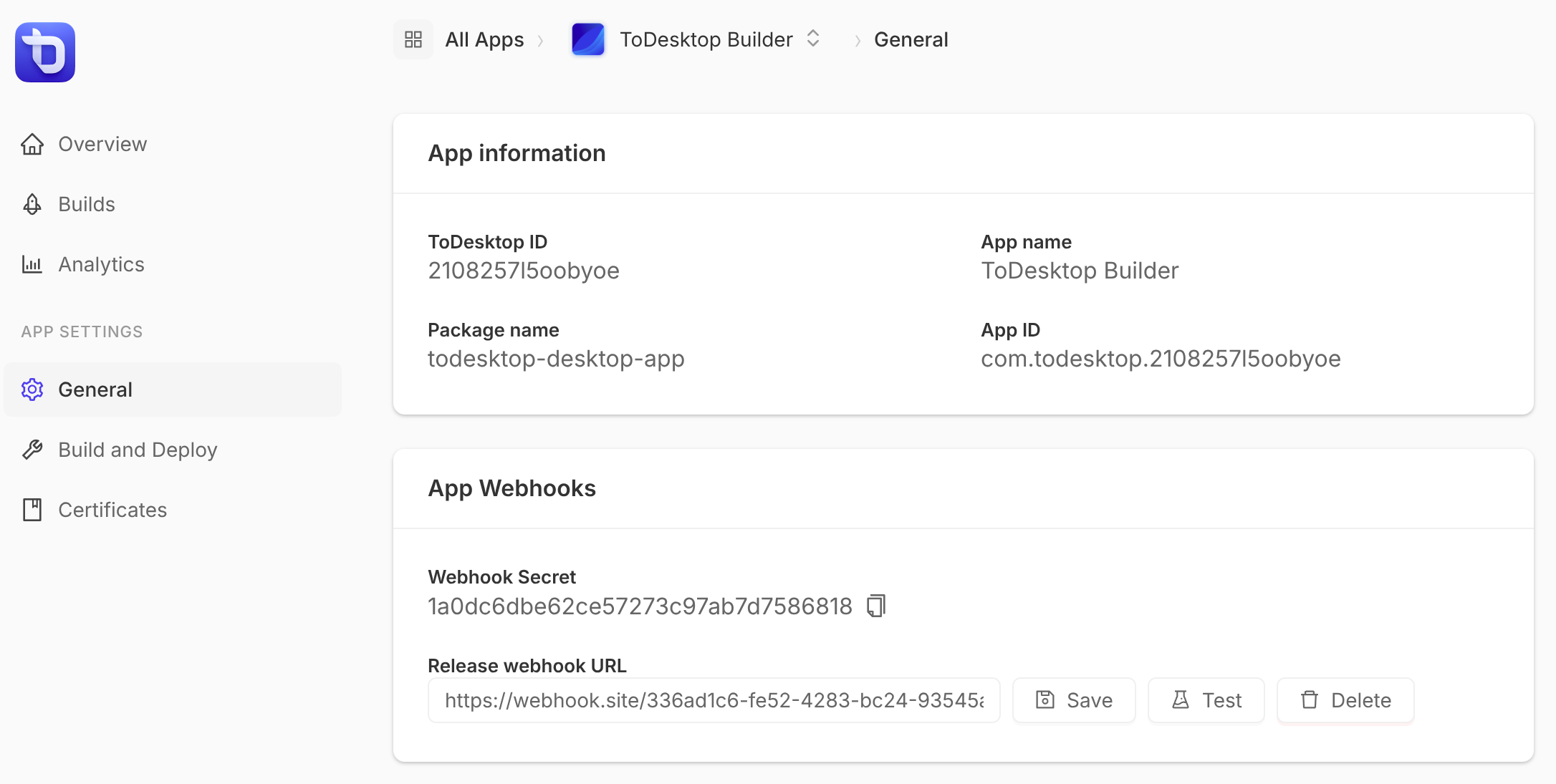
Webhook Secret
When you add a release webhook, ToDesktop generates an HMAC secret key that you can use to verify webhook requests. The secret is displayed in the App Webhooks section of your app settings. Use this secret to validate that incoming webhook requests are genuinely from ToDesktop.
Keep your webhook secret secure. Never expose it in client-side code or public repositories.
Webhook Payload
Full and partial release payloads also include customLabels, containing the labels from the build snapshot read for that release, or {} if there are none. See the label schema. Label edits do not trigger a release webhook or change previously sent payloads. The HMAC signature covers the complete payload, including labels.
When a release is published, ToDesktop sends a POST request to your webhook URL with a JSON body containing information about the release:
Verifying Webhook Signatures
Each webhook request includes an X-ToDesktop-HMAC-SHA256 header containing an HMAC signature. To verify the request:
- Get your webhook secret from the App Webhooks section in your app settings
- Compute the HMAC-SHA256 of the raw request body using your secret
- Compare it to the
X-ToDesktop-HMAC-SHA256header value
Example (Node.js):