
releaseBuild
Releases a build for distribution.
By default, apps cannot be released via the API. For security reasons, you can only release apps through the web UI with security token authentication. To enable API and CLI releases, go to Settings > General > Programmatic releases for the app and enable Allow releases without a security token.
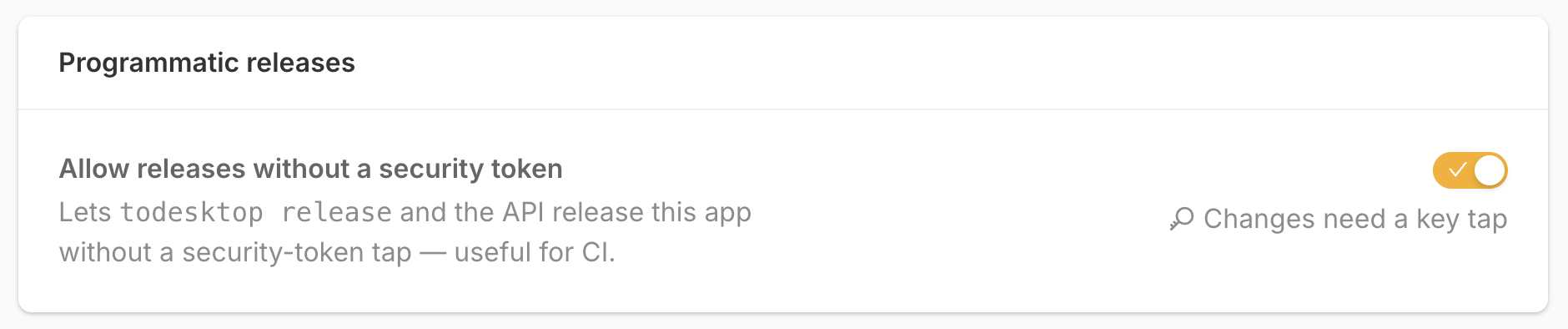
See Automating releases from CI for the recommended async build and API release workflow.
Request
POST /v1/releaseBuild
Authorization: Bearer <access-token>
Content-Type: application/jsonHeaders
JSON Body
{
  "appId": "your-app-id",
  "buildId": "your-build-id",
  "shouldSkipEmail": false
}Body Fields
Authorization Rules
Uses the shared API authentication rules. The caller must own the app or be a collaborator with current app access and release permission.
The authenticated account must have an email address, but you do not need to include it in the request. The app must allow releases without a security token, as described above.
Response
{
  "message": "success"
}Example
curl \
  -X POST \
  -H "Authorization: Bearer YOUR_ACCESS_TOKEN" \
  -H "Content-Type: application/json" \
  -d '{"appId":"your-app-id","buildId":"your-build-id"}' \
"https://api.todesktop.com/v1/releaseBuild"Errors
400if the request body or app/build IDs are invalid or missing.401if the authenticated account has no email address.404if the app or build cannot be found.412if the app requires a security-token-authenticated release, or if the build is not in a releasable state.
For other authentication and permission errors, see the shared error handling reference.