
Windows Apps PSA: EV Certs do not grant immediate reputation anymore

Founder of ToDesktop
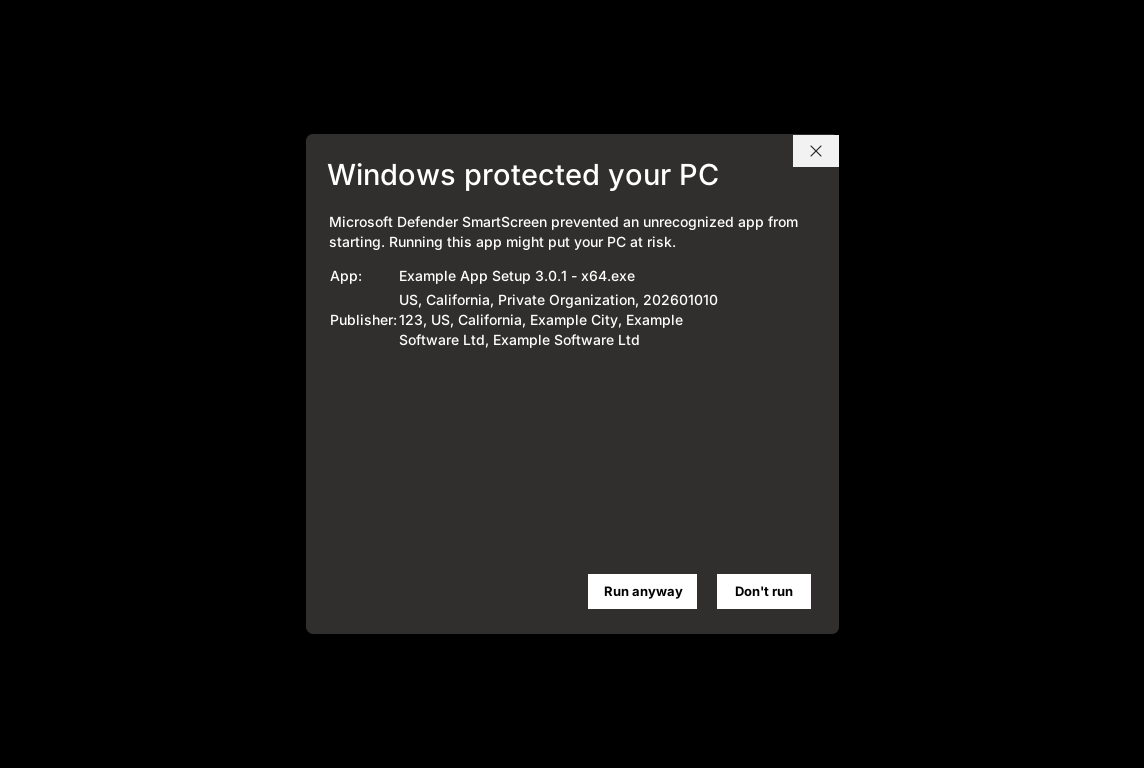
We've noticed an uptick recently of customers' apps triggering "Windows protected your PC" warnings despite having a valid EV code signing certificate. Microsoft Defender SmartScreen is now triggering while reputation is evaluated for new app releases, and it's happening across the industry.
TL;DR:
- EV code signing certificates no longer grant instant SmartScreen reputation.
- New releases of EV-signed apps must build reputation organically, just like OV-signed apps.
What changed
For years, Extended Validation (EV) code signing certificates provided immediate reputation in SmartScreen. An EV-signed binary would typically show no warning on first download. Microsoft removed this behavior in 2024 when they updated their Trusted Root Program requirements, but in practice, most people didn't see any impact and SmartScreen warnings did not show for EV-signed apps.
While publisher reputation can carry forward partially between versions signed with the same identity, it no longer provides the instant trust that EV certificates once guaranteed.
Should I still purchase an EV code signing certificate?
It does not seem like there is currently any benefit to purchasing an EV code signing certificate for Windows applications. The main advantage of EV certificates was the immediate SmartScreen reputation, but since that is no longer the case, you are just as well off purchasing a standard (OV) code signing certificate.
Microsoft's documentation says EV certificates previously bypassed SmartScreen on first download, but that behavior was removed in 2024. EV-signed files now go through the same reputation-building process as OV certificates.
Why you're seeing more warnings now
New file hashes reset reputation. If you shipped a recent update, that specific executable starts fresh. Even if your previous version had months of positive reputation, the new build must earn it again through user installs.
Azure Artifact Signing (formerly Trusted Signing) CA rotation. Around March 26, 2026, Microsoft silently migrated many customers to new intermediate CAs, including "Microsoft ID Verified CS EOC CA 03." Apps signed with these new intermediates began triggering SmartScreen warnings even when previous builds with identical publishers were trusted. Microsoft acknowledged the issue in late April, but reports continue into May.
Broader SmartScreen tightening. Microsoft has gradually made SmartScreen more reputation-driven and less certificate-driven. The days of "sign it and forget it" are over.
What the warnings actually mean
The "Microsoft Defender SmartScreen prevented an unrecognized app from starting" dialog does not indicate a broken signature, revoked certificate, or malware detection. Your certificate chain can be completely valid.
This is a cloud-based reputation system, not a signature validity check. The warning appears when Microsoft's systems haven't seen enough safe executions of that specific file hash, or when the signing chain has changed in ways that reset reputation signals.
If you want to verify the signature, you can right-click the file, go to Properties > Digital Signatures, and view the certificate details. Or you can run:
signtool verify /pa /v "My App Installer 3.0.2.exe"
What you can do
For immediate relief: There is no manual submission process for SmartScreen reputation review anymore. Microsoft's current documentation explicitly states there is no mechanism to submit files for consumer endpoints. Reputation builds organically through download volume. You may want to consider releasing to a smaller audience first to build reputation before a wide release.
For your users: The workaround is clicking "More info" > "Run anyway." Each safe execution incrementally improves reputation for that file hash. Consider adding a help article explaining that new versions may trigger warnings temporarily.
For your signing strategy: Avoid certificate rotations near releases. Keep the exact same signing identity across builds to preserve whatever publisher reputation can carry forward.
If purchasing new certificates: An OV code signing certificate is now just as effective as an EV for SmartScreen reputation. You can also consider Azure Artifact Signing, which has equivalent trust.