
Bubble introduces a new way to build a web application. It’s a point-and-click programming tool, entirely without code. Bubble hosts all applications on its cloud platform.
Bubble teams can launch desktop apps quickly because ToDesktop works directly with your existing Bubble app URL. You can keep your no-code workflow and still deliver a native desktop installer experience.
Best Bubble desktop use cases
- Internal tools where users keep the app open all day.
- Client portals that benefit from desktop notifications.
- Operations apps where tray access and startup behavior matter.
Bubble-first desktop setup
- Add your Bubble production URL to ToDesktop Builder.
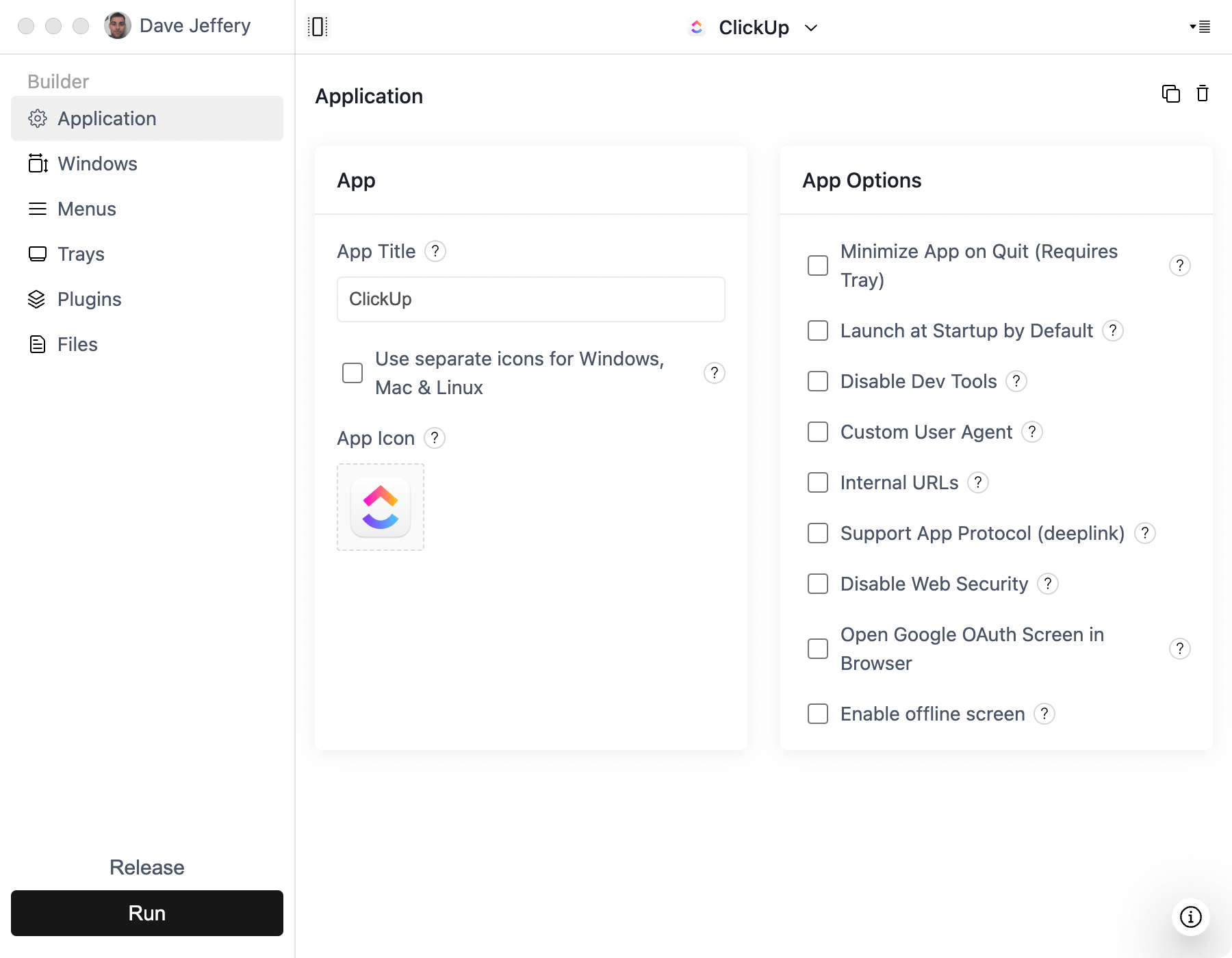
- Enable app protocols if your workflow uses deep links.
- Configure OAuth behavior to open external sign-in screens in browser.
- Add native notifications for key app events.
- Enable launch at startup for persistent team workflows.
What no-code teams should customize first
- Installer branding and app icon.
- Download links on your marketing/help pages.
- Tray/menu behavior for common team actions.
Common Bubble pitfalls
- Not testing authentication flows that jump between browser and app.
- Not defining internal URL behavior when multiple Bubble routes are used.
- Ignoring offline handling for users on unstable connections.